VMess, VLESS, Trojan, Shadowsocks
Profiles are converted into Xray or sing-box outbound configs.
 VoidTunnel
Linux VPN / proxy client
A PyQt6 desktop client for managing VMess, VLESS, Trojan, and Shadowsocks connections through Xray-core or native sing-box TUN routing.
Start here
VoidTunnel gives Linux users a clean desktop workflow for importing proxy profiles, connecting through Xray-core, or routing the whole machine through sing-box TUN mode.
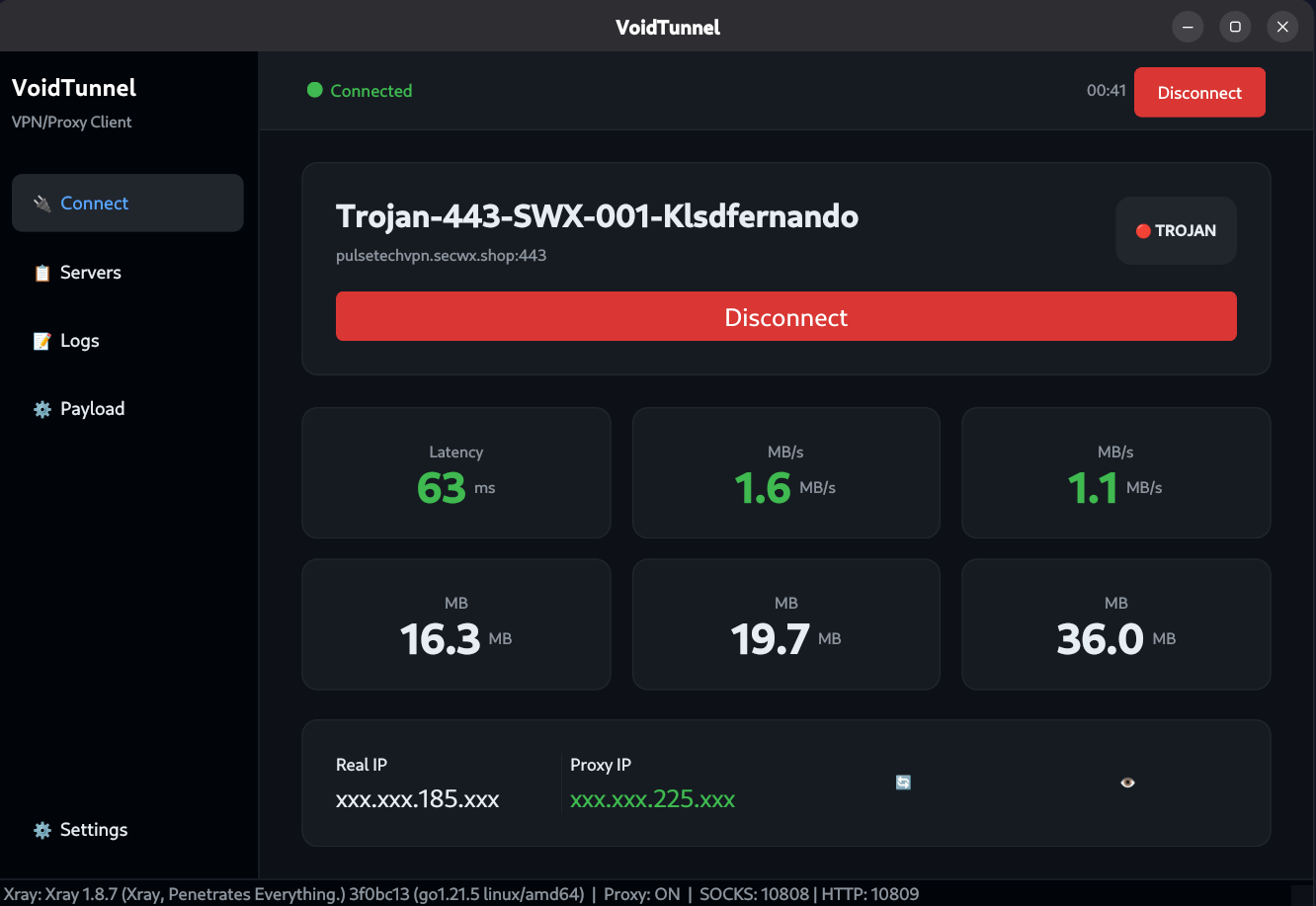
Profiles are converted into Xray or sing-box outbound configs.
Use single URLs, multiple URLs, subscriptions, QR export, and latency checks.
Choose browser and proxy-aware apps, or route all system traffic.
Download
The current project is source-based. Clone it with Git, or download the ZIP from GitHub and run it with Python.
git clone https://github.com/klsdfernando/VoidTunnel.git
cd VoidTunnelSetup
VoidTunnel needs Linux, Python 3.10 or newer, PyQt6 dependencies, and optional polkit support for sing-box TUN authentication.
pkexec from polkit
python -m venv venv
source venv/bin/activate
pip install -r requirements.txt
python src/main.pysudo apt update
sudo apt install python3 python3-venv python3-pip policykit-1sudo dnf install python3 python3-pip polkitsudo pacman -S python python-pip polkitServers
Profiles can be added one at a time, pasted in bulk, imported from a subscription URL, copied back to a share URL, or shown as a QR code.
vmess://... for VMess profilesvless://... for VLESS profilestrojan://... for Trojan profilesss://... for Shadowsocks profilesssh://... can be parsed, but connection support is currently basic and limitedOpen Servers, click Import, paste a subscription URL or one URL per line, then double-click a profile to select it for the Connect page.
Modes
VoidTunnel has two practical routing styles. Proxy mode is lighter and app-aware. TUN mode behaves more like a full VPN.
Use this when you want browsers and proxy-aware applications to use VoidTunnel while the rest of your system remains direct.
127.0.0.1:10808
HTTP: 127.0.0.1:10809
Use this when apps cannot use system proxy settings, or when you want all traffic to pass through a virtual tun0 interface.
pkexec password prompt so sing-box can create the TUN interface.If sing-box is missing, VoidTunnel prompts to download sing-box v1.13.3. After that, TUN mode generates ~/.config/voidtunnel/singbox_config.json and starts sing-box.
| Need | Use | Why |
|---|---|---|
| Browser tunneling | Proxy mode | Lower privilege, simple local HTTP/SOCKS ports. |
| All app traffic | sing-box TUN | Routes through tun0 with native sing-box routing. |
| No root prompt | Proxy mode | System proxy settings do not need TUN device creation. |
| Apps ignore proxies | sing-box TUN | Traffic is captured below the application layer. |
Feature guide
VoidTunnel is built around four pages: Connect, Servers, Logs, and Payload. Settings controls startup, proxy ports, DNS servers, and connection mode.
Shows selected profile, connect state, latency, upload, download, session totals, real IP, and proxy IP.
Add URLs, import subscriptions, search profiles, ping latency, duplicate, edit, copy URL, show QR, or delete.
Use logs to spot config errors, authentication cancellation, failed downloads, or engine startup failures.
Set method, host, path, and custom headers for profiles that need WebSocket or HTTP transport changes.
Payload settings are saved per profile. They update WebSocket host/path and custom transport headers used by generated Xray and sing-box configs, so test with providers that explicitly require those values.
Configuration
VoidTunnel stores runtime settings in your user config folder and writes engine configs when you connect.
| Path | Purpose |
|---|---|
~/.config/voidtunnel/settings.json |
App settings, DNS servers, proxy ports, startup behavior. |
~/.config/voidtunnel/profiles/ |
Saved server profile database. |
~/.config/voidtunnel/config.json |
Generated Xray-core config for proxy mode. |
~/.config/voidtunnel/singbox_config.json |
Generated sing-box config for TUN mode. |
~/.config/voidtunnel/proxy.env |
Fallback environment proxy exports when desktop proxy APIs are unavailable. |
Troubleshooting
Most problems are either missing engine binaries, desktop proxy settings, profile format mismatches, or missing polkit for TUN mode.
On first launch, VoidTunnel prompts to download Xray-core v1.8.7. Accept the prompt, then retry Connect. If download fails, check network access and file permissions inside src/resources/xray/.
This is expected. TUN mode needs root permission through pkexec to create and manage tun0. Install polkit if pkexec is not found.
Confirm system proxy is enabled, then manually set HTTP proxy to 127.0.0.1:10809 or SOCKS5 proxy to 127.0.0.1:10808 in the browser.
The parser recognizes ssh:// URLs, but the current Xray and sing-box outbound generators are focused on VMess, VLESS, Trojan, and Shadowsocks.
Close VoidTunnel, back up ~/.config/voidtunnel/, then remove the setting or generated config file you want to recreate.